AI ToonFace - See future face
Rosy Star AIArt & Design
4.331.00 Reviews
- Version
- 1.2.3
- Installs
- 10.00K
- Age Rating
- Everyone
Screenshots
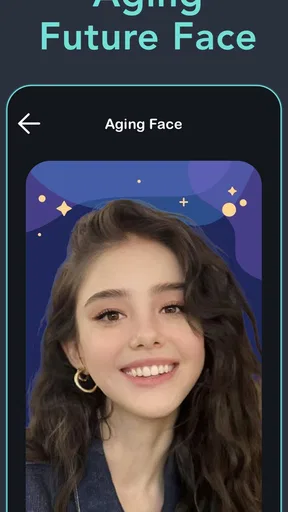
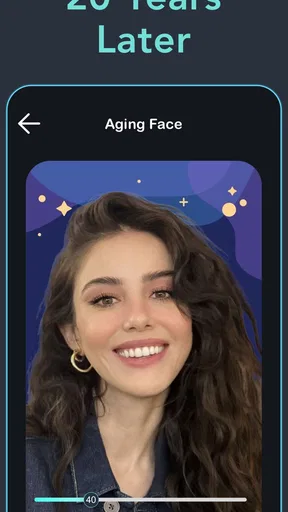
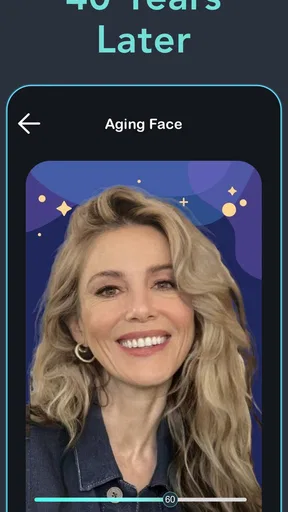
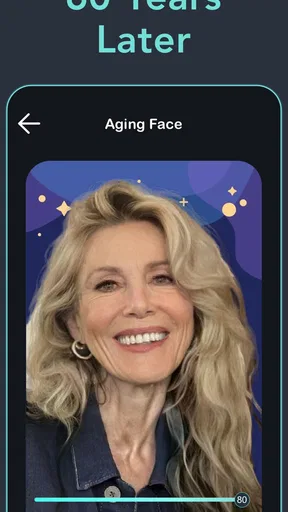
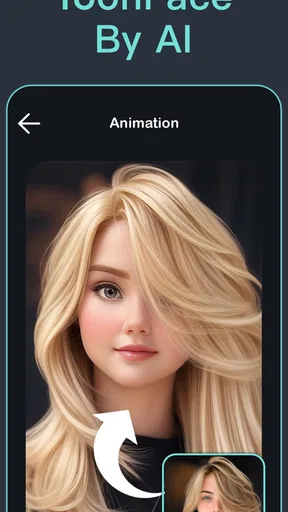
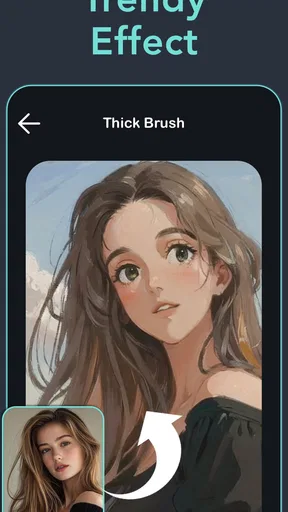
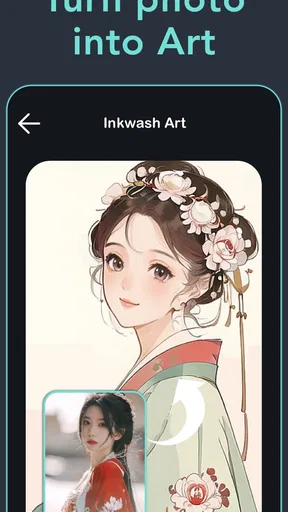
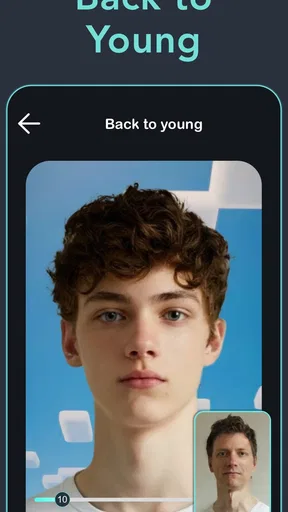
Our Review of AI ToonFace - See future face
 Analysis by Appyee
I’d start with a clear, well-lit selfie and a simple question: do I want a playful cartoon portrait, or am I curious about an imagined older version of myself? That distinction matters with AI ToonFace. It is an art-and-design app by Rosy Star AI, and its appeal is less about producing a dependable portrait studio result than about turning one ordinary photo into a quick conversation starter.
For a casual moment, that can be exactly enough. I can picture opening it while chatting with a friend, choosing a photo from the camera roll, and comparing a toon-style result with an age-shifted one. The useful mindset is to treat the images as creative interpretations, not predictions or realistic evidence of what someone will look like later.
Choosing a photo that gives the app a fair chance
Before starting, I’d pick a photo where the face is easy to see, with a straightforward expression and no heavy shadow across the features. That is practical advice for any photo transformation, but especially for an app focused on faces: if the source image is ambiguous, it is harder to judge whether an unusual result comes from the effect or the original picture.
I would also keep a second candidate image ready rather than repeatedly adjusting one that is poorly lit or crowded. A clean head-and-shoulders selfie makes it easier to compare outcomes, while a group shot or strongly angled pose can make a face-focused result feel less predictable. If I’m making something to share, I’d use a copy of a photo I’m comfortable posting rather than choosing an image just because it is convenient.
Getting to Know AI ToonFace
So, I’ve been playing around with this nifty app called AI ToonFace, and I must say, it’s a delightful blend of fun and technology. Available on both Android and iOS, this app uses artificial intelligence to predict future versions of your face or even turn you into a cartoon character. Yep, you heard that right!
The app is pretty straightforward, which I love because who has time to navigate through a complicated interface these days? Once you open the app, you're greeted with a simple menu that offers a few exciting options like "Future Face," "Toonify," and "Age Me." All you need to do is snap a selfie or upload a photo from your gallery, and let the magic begin.
Features That Stand Out
Let's talk about what's under the hood. The "Future Face" feature, for instance, is a real hoot. It uses AI to predict what you might look like in 20 or 30 years. It’s not just a random guess; the app analyzes your current features and gives a realistic twist. It’s both fascinating and slightly eerie, especially when you see a version of yourself that looks like a wise old sage.
Then there’s the "Toonify" option. This one's a fan favorite, especially if you're into cartoons or anime. The app transforms your photo into a cartoon version of yourself with vibrant colors and exaggerated features. I tried it on a few photos of myself and the results were hilarious. It's like stepping into a comic book!
The "Age Me" feature is similar to "Future Face," but with a more granular approach. It allows you to add specific age increments, so you can see yourself at any age you choose. It’s surprisingly accurate, and it’s a fun way to see how gracefully you might age.
Turning a result into something useful
The best workflow I found is to decide on the destination before generating an image. If I want a profile picture, I’d lean toward the cartoon treatment and choose a photo with a relaxed expression; if I’m sharing a joke with family, an age effect is more likely to get a reaction. That small choice avoids making several versions without knowing what I want from them.
There is also a useful distinction between a result that makes me laugh and one I’d actually use. Toon-style edits are naturally forgiving: an exaggerated feature can become part of the joke. An age transformation invites closer scrutiny, so I’d compare it with the original and treat it as a playful visual exercise rather than a forecast. This is a better fit for casual sharing than for decisions about appearance, health, or identity.
For a low-effort everyday scenario, imagine a family group chat asking what everyone might look like years from now. I could choose one clear portrait, make an age-based image, then switch to a cartoon version if the first result feels too serious. The handoff is simple: save or share the image where I want it, and let the conversation happen there. I would still review the result before sending it, especially if the source photo includes other people.
The User Experience
Using AI ToonFace is a breeze. The app is designed with the user in mind, offering a clean layout and intuitive controls. Navigation is smooth, with no noticeable lag or glitches. The transformation process is quick, taking no more than a few seconds, which is a big plus in my book.
I also appreciated the little touches, like the ability to share your results directly to social media platforms. It’s a great way to spark conversations and have a few laughs with friends and family. Plus, the app doesn’t bombard you with ads, keeping the experience enjoyable.
When another photo tool is the better handoff
This app makes most sense when I want a face-centered effect without learning a full editing suite. A general photo editor is a better choice if I need careful retouching, precise color adjustments, text placement, or a polished composition for a project. A drawing app is preferable when I want to control the lines, colors, and likeness myself instead of accepting an automated interpretation.
There is a trade-off in convenience: an automated transformation reduces effort, but it also gives me less control over the final style. I’d use the output as a fun starting point for a message or social post, not as a replacement for an editor when details matter. If the first image misses the mood I had in mind, changing the source photo may be more useful than expecting a single tap to fix everything.
One practical tip is to keep the original photo separate from the transformed result. That makes it easier to compare what changed and prevents a playful edit from becoming the only copy I can find. Another is to choose the sharing destination after checking the image at full size: an effect that looks amusing in a small preview may reveal an odd edge or facial detail when enlarged.
Behind the Scenes: How Does It Work?
Now, I’m no tech wizard, but I did a little digging to understand how this app works. The secret sauce lies in its advanced AI algorithms. These algorithms analyze the facial features in your photo, considering factors like skin texture, facial structure, and even hair patterns. It’s like having a mini photo studio in your pocket, powered by some serious tech smarts.
Of course, while the app is impressively accurate, it’s not perfect. There are times when the results can be a bit over-the-top or exaggerated, especially with the "Toonify" feature. But hey, that’s part of the fun, right?
What to expect before settling in
The app is free to install and is rated for Everyone, so it is easy to try as a light creative pastime. Its average rating is 4.3 from 183 ratings, with 31 written reviews, and it has passed 10,000 installs. Those figures suggest a modest but established audience, not a reason to assume every transformation will suit my taste.
The current version is 1.2.3, it was released on April 9, 2025, and it requires Android 7.0 or later. In-app purchases range from $5.99 to $159.99 per item, so I’d check the purchase details carefully before committing to anything. A free download is not the same as every option being free, and anyone who only wants to experiment once should be comfortable stopping without buying extras.
That is also where I’d set expectations for a first session: try a photo, judge the result, and decide whether the available styles are enough for what I want. I would not pay simply because an age effect looks convincing; the image remains an imaginative transformation, not a reliable account of the future. For someone who wants repeat creative play, the purchase choices may be worth examining, but the right value depends on how often the results will actually be used.
My Final Thoughts
All in all, AI ToonFace is a delightful app that combines technology and entertainment in a unique way. Whether you’re curious about the future, want a laugh, or just feel like spicing up your photos, this app delivers. It’s easy to use, packed with fun features, and offers a seamless experience.
If you’re looking to add a little magic to your selfies, I’d say give AI ToonFace a spin. It's like having a crystal ball in your hands, with a touch of humor and creativity. Happy transforming!
Who will enjoy it—and who should pass
I’d recommend it to someone who likes sharing silly portraits, wants a quick idea for a group chat, or enjoys seeing familiar photos reimagined without doing manual edits. It is especially suited to people who are happy with surprise and variation: the appeal is seeing what the transformation does, not directing every visual detail.
I’d skip it if I needed a faithful likeness for professional use, precise control over the finished image, or a trustworthy forecast of how a person will age. It is also not the right choice if I’m uncomfortable turning a personal selfie into an AI-generated image. In those cases, a locally controlled editor, a hand-drawn portrait, or simply keeping the original photo may feel like a better fit.
A final check before sharing
Before passing a result along, I’d ask two simple questions: does the person in the image know I’m sharing it, and does the transformed picture still feel kind rather than embarrassing? That matters most with age effects and images of friends or relatives. A playful edit works best when the subject is in on the joke.
My overall recommendation is to approach it as a small creative toy with a clear purpose: choose a photo, pick the kind of transformation that fits the moment, inspect the outcome, then share only if it still feels right. If I want a quick laugh or an unusual avatar, I can see the appeal. If I need accuracy, detailed editing, or predictable results, I’d choose a different tool.
Verdict
Strengths of AI ToonFace - See future face
- Fun and engaging face transformation.
- Easy-to-use interface for all ages.
- Quick processing with realistic results.
- Wide range of customization options.
- No hidden fees or subscriptions.
Limitations of AI ToonFace - See future face
- Requires internet for full features.
- Limited free effects available.
- Occasional ads can disrupt usage.
- May not work on older devices.
- Privacy concerns with photo uploads.
Similar Picks in This Category
View All
Canva: AI Photo & Video Editor
Canva4.8

PENUP – Drawing-sharing SNS
Samsung Electronics Co., Ltd.4.5

Crafto
Kutumb App4.6

Sketchbook
Sketchbook4.1

ibis Paint X
ibis inc.4.5

Adobe Express: AI Photo, Video
Adobe4.6
Frequently Asked Questions
What is AI ToonFace and how does it work?
AI ToonFace is an innovative app that uses artificial intelligence to transform your current photo into a cartoon version or predict your future appearance. By analyzing facial features, the app generates a playful or futuristic version of your face. It’s designed for entertainment purposes and provides a fun way to see yourself in a different light.
Is AI ToonFace safe to use regarding privacy?
AI ToonFace is committed to user privacy. The app processes images locally on your device or securely in the cloud, depending on your settings. It does not store or share your photos without consent. Always review the app’s privacy policy for details on data handling and opt-out options.
What features does AI ToonFace offer?
AI ToonFace includes a range of features such as cartoon transformation, age progression, and style filters. Users can choose from different artistic styles to see future or fantasy versions of themselves. The app also allows sharing creations directly to social media platforms, enhancing the fun and interactive experience.
Are there any in-app purchases or ads in AI ToonFace?
AI ToonFace offers a free version with basic features, supported by ads. For an enhanced experience, users can purchase a premium version that removes ads and unlocks additional features like exclusive filters and faster processing times. Check the app store listing for the latest pricing and subscription details.
Can AI ToonFace be used on both Android and iOS devices?
Yes, AI ToonFace is available for both Android and iOS platforms. Users can download it from the Google Play Store and Apple App Store. It’s important to ensure your device meets the minimum operating system requirements for optimal performance and to access all features effectively.
